We are looking for an experienced WordPress Backend Developer with strong PHP and WordPress development skills. The ideal candidate should be comfortable developing custom plugins, themes, REST APIs, WooCommerce functionality, database integrations, and custom WordPress solutions.
You will work on complex WordPress projects and collaborate with front-end developers to build scalable, secure, and high-performance websites and applications.
Responsibilities
Develop custom WordPress plugins and themes.
Build custom functionality using PHP and WordPress APIs.
Develop and integrate WordPress REST APIs.
Customize WooCommerce functionality and workflows.
Create custom post types, taxonomies, metadata, and database structures.
Develop custom WooCommerce payment, shipping, and pricing functionality.
Work with MySQL and WordPress database structures.
Debug and resolve complex WordPress issues.
Optimize WordPress performance and database queries.
Integrate third-party APIs and services.
Follow WordPress coding standards and security best practices.
Work with Git and development/staging environments.
Collaborate with front-end developers and project managers.
Requirements
2+ years of professional WordPress development experience.
Strong knowledge of PHP.
Strong understanding of WordPress core APIs and architecture.
Experience developing custom WordPress plugins.
Experience with WordPress hooks, filters, actions, and REST API.
Strong understanding of MySQL.
Experience with WooCommerce development.
Good knowledge of HTML, CSS, and JavaScript.
Experience integrating third-party APIs.
Familiarity with Git.
Strong debugging and problem-solving skills.
Nice to Have
Experience with Gutenberg/block development.
React.js experience.
Experience developing WooCommerce extensions.
WP-CLI experience.
Knowledge of Redis/object caching.
Experience with Docker.
Knowledge of WordPress security and performance optimization.
We are looking for a talented WordPress Front-End Developer to join our team and build fast, responsive, and visually appealing websites. The ideal candidate should have strong experience with HTML, CSS, JavaScript, Elementor, and Figma.
You will work closely with designers and backend developers to convert UI designs into pixel-perfect WordPress websites that provide an excellent user experience across desktop, tablet, and mobile devices.
Responsibilities
Develop responsive WordPress websites from Figma designs.
Build custom pages and layouts using Elementor.
Convert Figma, Adobe XD, or similar designs into pixel-perfect HTML/CSS.
Write clean, maintainable HTML, CSS, and JavaScript.
Ensure websites work correctly across modern browsers and devices.
Optimize front-end performance and Core Web Vitals.
Implement responsive layouts and mobile-first designs.
Customize WordPress themes and Elementor components.
Troubleshoot and fix front-end bugs.
Collaborate with designers, WordPress developers, and project managers.
Follow SEO and accessibility best practices.
Requirements
2+ years of experience with WordPress front-end development.
Strong knowledge of HTML5 and CSS3.
Good knowledge of JavaScript.
Strong experience with Elementor and Elementor Pro.
Experience converting Figma designs into WordPress websites.
Understanding of responsive and mobile-first design.
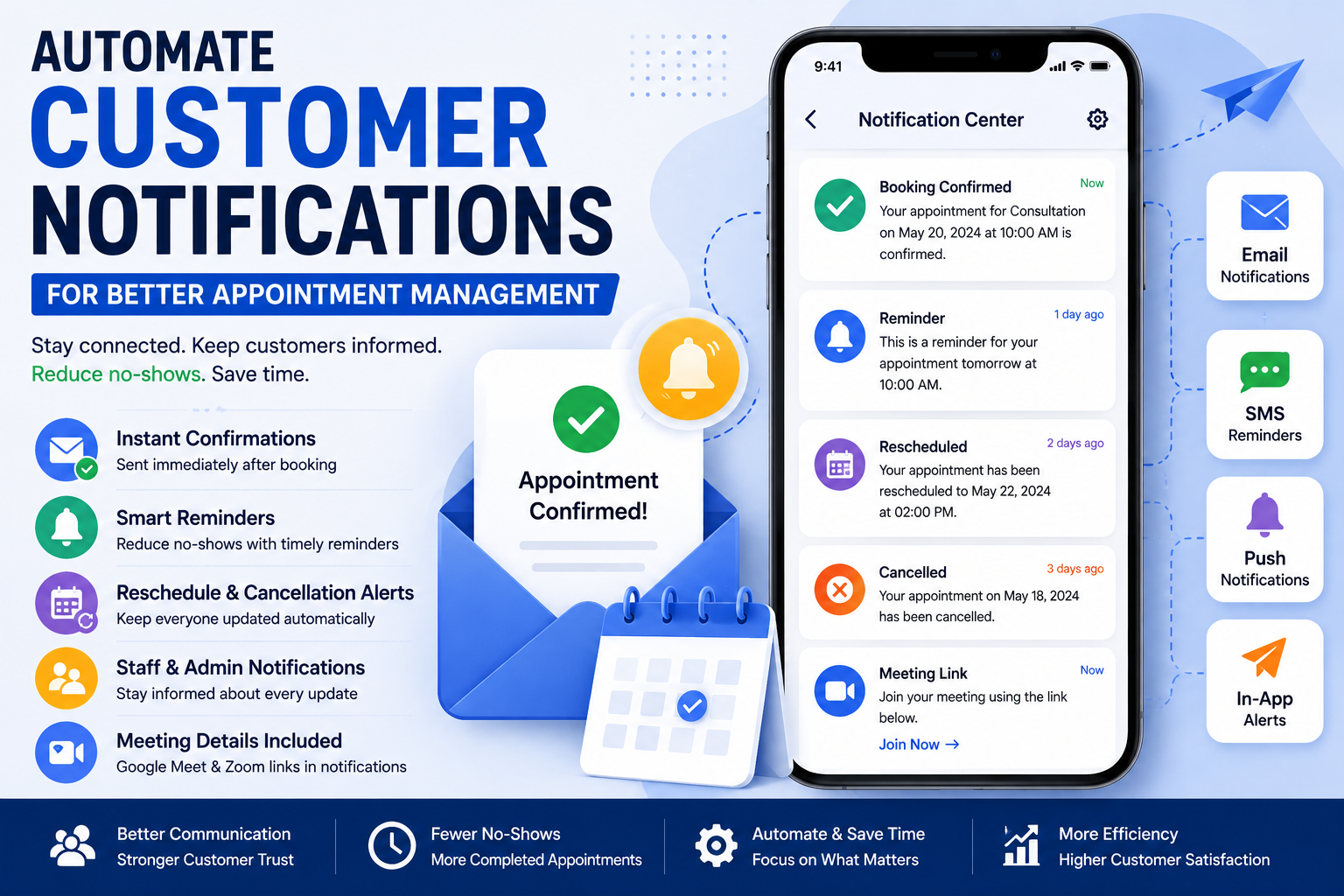
Clear and timely communication is one of the most important aspects of providing an excellent customer experience. Whether you’re managing a healthcare clinic, beauty salon, consulting firm, educational institute, fitness center, or service-based business, keeping customers informed about their appointments helps build trust and reduce missed bookings.
Manually sending appointment confirmations, reminders, cancellations, and follow-up messages consumes valuable time and increases the risk of human error. Our Booking Application eliminates these challenges by automating customer notifications, ensuring every customer receives the right information at the right time.
With built-in notification automation, your business can improve customer satisfaction, reduce no-shows, and save hours of administrative work every week.
Why Appointment Notifications Matter
Customers appreciate being kept informed throughout the booking process. Automated notifications provide reassurance that appointments have been successfully scheduled while reminding customers of upcoming visits.
Without automated communication, businesses often experience:
Missed appointments
Forgotten bookings
Increased phone inquiries
Scheduling confusion
Manual administrative work
Lower customer satisfaction
Automated notifications solve these problems by keeping everyone informed.
Instant Booking Confirmations
The moment a customer books an appointment, the system automatically sends a confirmation notification.
Confirmation messages can include:
Appointment date
Appointment time
Service selected
Assigned staff member
Meeting location
Online meeting link
Payment confirmation
Booking reference
Customers immediately know their booking has been successfully completed.
Automatic Appointment Reminders
One of the biggest reasons customers miss appointments is simply forgetting them.
Our Booking Application automatically sends reminders before scheduled appointments, helping customers remember their bookings and arrive on time.
Businesses can configure reminders based on their workflow, such as:
24 hours before
12 hours before
2 hours before
30 minutes before
These reminders significantly reduce no-show appointments.
Notifications for Rescheduled Appointments
Plans change, and appointments often need to be moved.
Whenever an appointment is rescheduled, customers automatically receive updated booking information, eliminating confusion and ensuring everyone has the latest schedule.
The notification includes:
New appointment date
Updated time
Assigned staff
Updated meeting details
New calendar information
Cancellation Notifications
When appointments are cancelled, customers receive immediate notifications explaining the cancellation and, if applicable, instructions for rescheduling.
Businesses can also notify staff members instantly to free up their schedules for new bookings.
Admin Notifications
Automation doesn’t only benefit customers.
Administrators and staff members receive notifications whenever:
A new appointment is booked
An appointment is cancelled
A booking is rescheduled
A payment is received
A customer submits additional information
This allows your team to respond quickly without constantly monitoring the booking dashboard.
Staff Notifications
Each staff member can receive notifications about their assigned appointments.
This helps employees prepare for upcoming meetings while keeping everyone informed about schedule changes.
Online Meeting Notifications
For virtual appointments, our Booking Application automatically includes meeting information in notifications.
Supported meeting platforms include:
Google Meet
Zoom
Customers receive secure meeting links together with appointment details, making it easy to join sessions without searching through emails.
Payment Notifications
Whenever a payment is completed, both customers and administrators receive confirmation.
Supported payment methods include:
Stripe
PayPal
Offline payments
Payment notifications provide transparency while reducing customer support requests.
Personalized Messages
Businesses can customize notification templates to match their brand identity.
You can include:
Company name
Business logo
Personalized greetings
Appointment details
Contact information
Social media links
Support information
Personalized communication creates a more professional customer experience.
Reduce Administrative Work
Instead of manually sending emails or calling customers, businesses can let automation handle routine communication.
Your staff can focus on delivering excellent service while the booking application manages confirmations and reminders automatically.
Improve Customer Experience
Customers appreciate businesses that communicate clearly.
Automated notifications help customers:
Stay informed
Arrive on time
Avoid missed appointments
Receive payment confirmations
Access online meeting links easily
These improvements create a smoother booking experience from start to finish.
Mobile-Friendly Notifications
Customers increasingly rely on smartphones for communication.
Our booking application ensures appointment notifications are easy to read on desktops, tablets, and mobile devices.
Suitable for Every Business
Automated appointment notifications are valuable for:
Medical clinics
Dentists
Salons
Barbershops
Consultants
Tutors
Lawyers
Fitness trainers
Coaches
Repair services
Event planners
Photography studios
Educational institutions
Benefits of Automated Notifications
Businesses using automated notifications enjoy:
Fewer missed appointments
Reduced administrative workload
Better customer communication
Faster appointment confirmations
Improved customer satisfaction
Increased operational efficiency
More professional booking experience
Better staff coordination
Why Choose Our Booking Application?
Our notification system is fully integrated with the booking process and works seamlessly with appointment scheduling, online payments, and virtual meetings.
Key features include:
Instant booking confirmations
Automated reminders
Rescheduling notifications
Cancellation alerts
Admin notifications
Staff notifications
Payment confirmations
Google Meet integration
Zoom integration
Mobile-friendly communication
Easy customization
Conclusion
Automated notifications are essential for businesses that want to deliver exceptional customer service while reducing administrative work. Our Booking Application keeps customers and staff informed at every stage of the appointment process, helping businesses reduce no-shows, improve communication, and operate more efficiently.
Whether your appointments take place in person or online, automated notifications ensure every booking is handled professionally from confirmation to completion.
Frequently Asked Questions
Can customers receive automatic booking confirmations?
Yes. Every successful booking automatically generates a confirmation notification.
Can reminders be customized?
Yes. Businesses can configure reminder timing based on their scheduling requirements.
Are staff members notified about appointments?
Yes. Staff can receive notifications for bookings, updates, cancellations, and schedule changes.
Does the system support virtual meeting notifications?
Yes. Google Meet and Zoom meeting details are automatically included for online appointments.
Can notification templates be customized?
Yes. Businesses can personalize notification content with branding, contact information, and custom messaging.
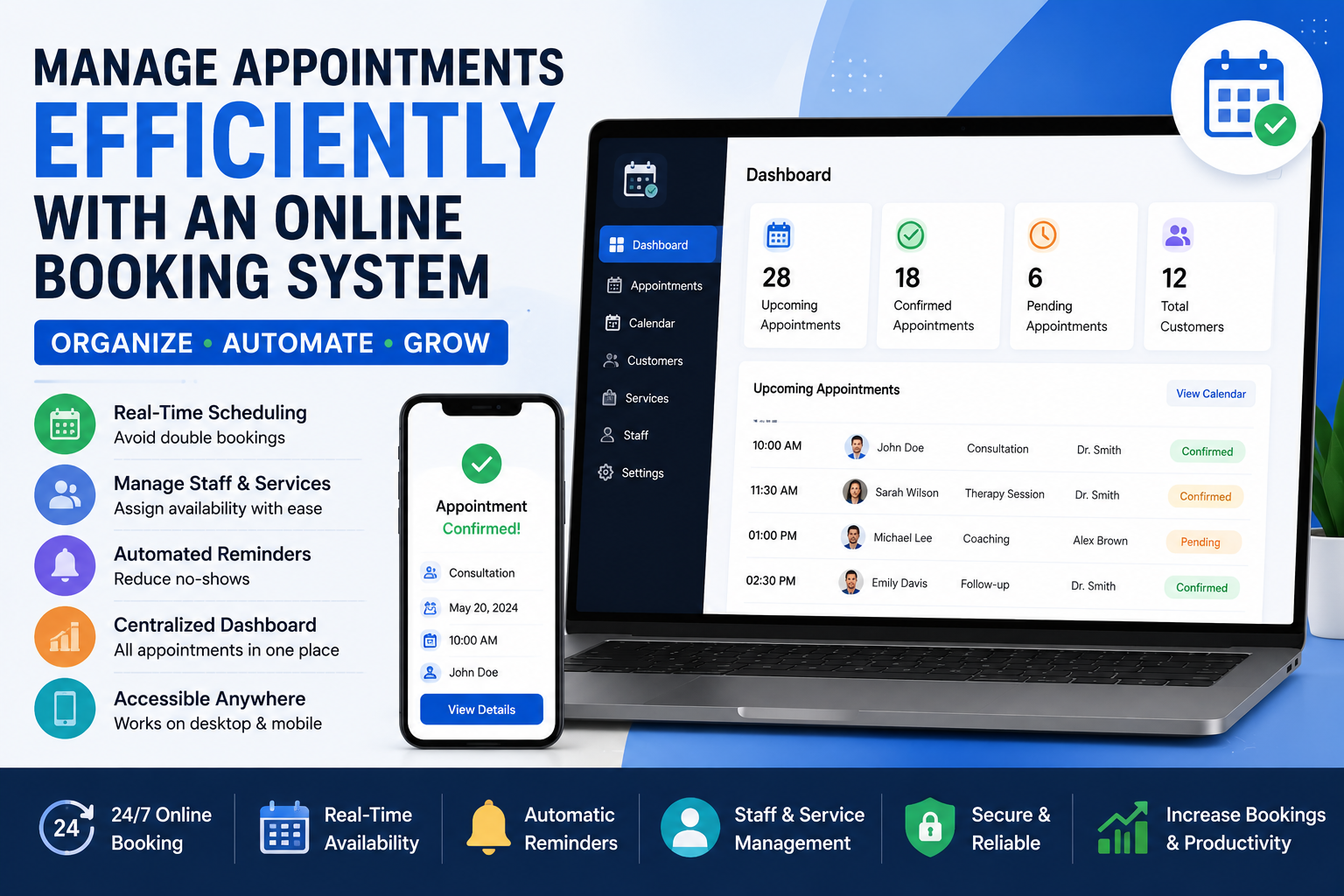
Managing appointments manually can be time-consuming and prone to errors. Phone calls, emails, spreadsheets, and paper calendars often result in double bookings, missed appointments, and unnecessary administrative work. As businesses grow, these challenges become even more difficult to manage.
An online booking system eliminates these problems by allowing customers to schedule appointments directly through your website while automatically organizing your calendar, notifying customers, and streamlining your daily operations.
Whether you own a healthcare clinic, beauty salon, legal consultancy, coaching business, educational institute, repair service, or any appointment-based business, an online booking system can save time, improve customer satisfaction, and increase revenue.
What is an Online Booking System?
An online booking system is a digital solution that enables customers to book appointments through your website or web application at any time of the day.
Instead of contacting your staff during business hours, customers simply choose a service, select an available date and time, complete their booking, and receive instant confirmation.
The system automatically updates your schedule, helping your team stay organized while reducing manual work.
Many businesses still rely on phone calls, WhatsApp messages, spreadsheets, or handwritten calendars to manage appointments. While these methods may work initially, they become inefficient as your customer base grows.
Common problems include:
Double bookings
Missed appointments
Scheduling conflicts
Time-consuming manual updates
Lost customer information
Difficulty tracking staff availability
Increased administrative costs
These issues can negatively impact customer experience and reduce business productivity.
Simplify Scheduling with Our Booking Application
Our Booking Application is designed to make appointment management effortless. Customers can book appointments online in just a few clicks, while business owners gain complete control over their schedules through an intuitive dashboard.
From small businesses to large organizations, our system adapts to your scheduling requirements.
24/7 Appointment Booking
Your website becomes available for bookings around the clock.
Customers no longer need to wait until your office opens. They can browse available services, choose their preferred time slot, and complete the booking whenever it’s convenient for them.
This flexibility improves customer satisfaction and helps generate appointments even outside business hours.
Real-Time Availability
The booking calendar updates automatically whenever an appointment is created, modified, or cancelled.
Customers always see the latest available time slots, eliminating scheduling conflicts and preventing double bookings.
Easy Appointment Management
Managing appointments becomes simple through a centralized dashboard.
Business owners and staff can:
View daily schedules
Edit appointments
Reschedule bookings
Cancel appointments
Track booking history
Manage customer information
Everything is accessible from one location.
Staff Scheduling
Businesses with multiple employees can assign appointments to individual staff members.
Each team member can have:
Personal working hours
Break schedules
Vacation days
Service availability
Appointment limits
This ensures appointments are assigned correctly and resources are used efficiently.
Multiple Services
Offer unlimited services through a single booking platform.
Examples include:
Medical consultations
Haircuts
Spa treatments
Legal consultations
Business meetings
Online coaching
Home repair services
Fitness sessions
Educational classes
Each service can have its own pricing, duration, availability, and assigned staff.
Automatic Appointment Confirmations
Once a customer completes a booking, confirmation messages are sent automatically.
Customers immediately receive:
Booking confirmation
Appointment details
Date and time
Service information
Meeting link (if applicable)
Payment confirmation
This reduces customer uncertainty and improves communication.
Appointment Reminders
Missed appointments cost businesses valuable time and revenue.
Our booking application automatically sends reminders before appointments, helping customers remember their scheduled visits and reducing no-shows.
Calendar Management
All appointments are displayed in an easy-to-use calendar interface.
You can quickly:
View upcoming bookings
Filter appointments
Search customers
Identify available slots
Manage cancellations
This makes scheduling much easier than using spreadsheets or manual calendars.
Rescheduling Made Easy
Customers often need to change their appointments.
Instead of calling your office, they can reschedule online (if enabled), while your calendar updates automatically.
This improves customer convenience while reducing administrative work.
Secure Customer Records
Customer information is stored securely and organized for future reference.
You can maintain booking history, contact details, and appointment records while ensuring data remains protected.
Mobile-Friendly Booking
More customers now book services using smartphones.
Our responsive booking application provides an excellent experience across desktops, tablets, and mobile devices.
Customers can book appointments wherever they are.
Suitable for Every Industry
Our booking application is ideal for:
Healthcare providers
Dentists
Beauty salons
Barbershops
Fitness centers
Tutors
Consultants
Lawyers
Accountants
Repair services
Real estate agencies
Photography studios
Event planners
Coworking spaces
Government services
Benefits of Using Our Booking Application
By implementing our booking application, businesses can:
Save valuable administrative time
Reduce scheduling errors
Eliminate double bookings
Improve customer satisfaction
Accept bookings 24/7
Increase appointment completion rates
Organize staff schedules
Improve operational efficiency
Scale business operations
Deliver a professional customer experience
Why Choose Our Booking Application?
Our solution is built for businesses that need a reliable, flexible, and scalable appointment management platform.
Key features include:
Easy website integration
Online appointment booking
Automated reminders
Staff management
Calendar management
Secure customer data
Mobile-friendly interface
Stripe, PayPal, and offline payment support
Google Meet integration
Zoom meeting integration
Real-time notifications
Customizable booking workflows
Conclusion
Efficient appointment management is essential for delivering exceptional customer experiences and maximizing productivity. Our Booking Application helps businesses automate scheduling, organize appointments, reduce administrative work, and keep customers informed throughout the booking process.
Whether you’re a startup or an established organization, integrating our online booking system into your website will simplify operations, increase bookings, and help your business grow.
Frequently Asked Questions
Can customers book appointments at any time?
Yes. Customers can schedule appointments 24 hours a day, 7 days a week through your website.
Can multiple staff members use the system?
Yes. Each staff member can manage their own schedule, services, and availability.
Can appointments be rescheduled?
Yes. Businesses and customers can reschedule appointments based on your booking rules.
Is the booking system mobile-friendly?
Yes. The booking interface works smoothly on desktops, tablets, and smartphones.
Does the system support online meetings?
Yes. Google Meet and Zoom meetings can be automatically scheduled with bookings.
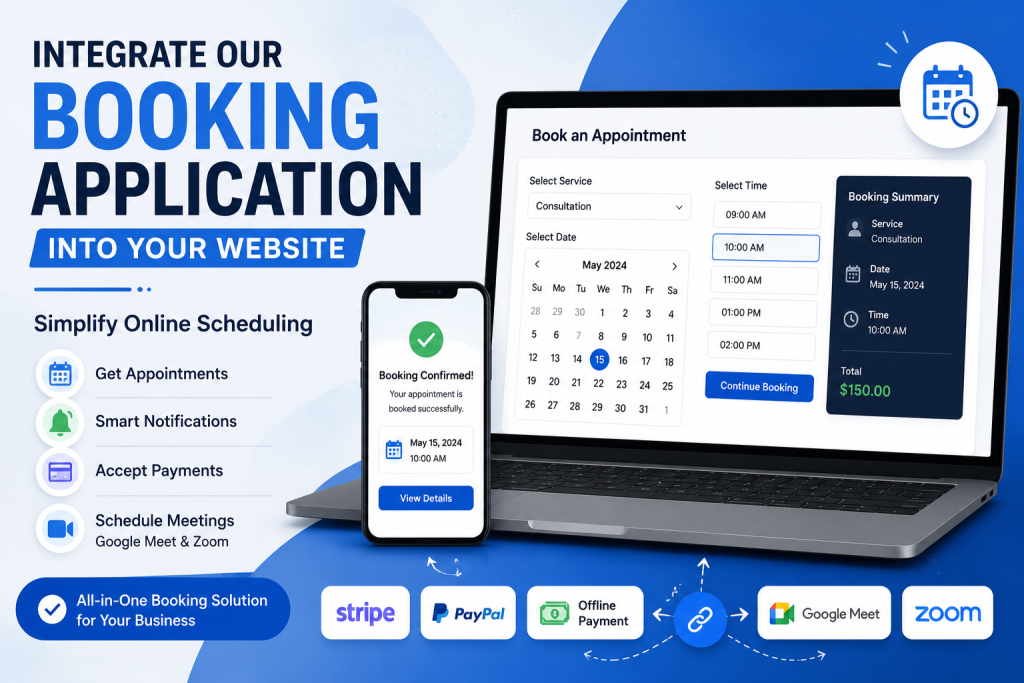
In today’s digital world, customers expect to book appointments online without making phone calls or sending emails. Whether you run a healthcare clinic, salon, consultancy, educational institute, fitness center, or professional service, providing a seamless online booking experience improves customer satisfaction and helps your business grow.
Our Booking Application makes it easy to integrate powerful appointment scheduling into your existing website or web application. Instead of building a booking system from scratch, you can add advanced scheduling features within minutes and start accepting appointments immediately.
Easy Integration
Our booking application is designed for developers and businesses alike. It can be integrated into existing websites, custom web applications, CRM systems, SaaS platforms, and WordPress websites with minimal effort.
You don’t need to redesign your website. Simply integrate the booking module and let your customers book appointments directly from your website.
Customizable Booking Experience
Every business has different scheduling requirements. Our application allows you to customize:
Available services
Staff members
Working hours
Appointment duration
Buffer time between appointments
Holidays and unavailable dates
Multiple business locations
This flexibility ensures your booking system matches your business workflow.
Mobile-Friendly Design
Customers can schedule appointments from desktops, tablets, and smartphones. The responsive interface provides a smooth booking experience on every device.
Secure and Reliable
Security is built into every aspect of the application. Customer information, appointment details, and payment data are handled securely using industry-standard practices.
Scalable for Every Business
Whether you receive 10 bookings per month or thousands every day, our booking application is built to scale with your business.
Perfect For
Medical Clinics
Dental Practices
Beauty Salons
Barber Shops
Lawyers
Consultants
Tutors
Fitness Trainers
Repair Services
Event Bookings
Real Estate Agents
Freelancers
Why Choose Our Booking Application?
Fast integration
User-friendly interface
Secure booking process
Mobile responsive
Highly customizable
Scalable architecture
Developer-friendly APIs
Suitable for businesses of every size
Conclusion
Adding online appointment scheduling to your website has never been easier. Our Booking Application helps businesses automate scheduling, improve customer experience, reduce administrative work, and increase bookings. Integrate it today and give your customers the convenience they expect.
If your WordPress website still uses the default login page (/wp-login.php or /wp-admin), you’re making it much easier for automated bots to find your website’s login screen.
Every day, thousands of bots scan the internet looking for WordPress websites using the default login URL. Once they find it, they attempt password guessing, brute-force attacks, credential stuffing, and other automated login attempts.
Fortunately, there’s a simple solution: change your WordPress login URL.
In this guide, you’ll learn why changing your login URL improves security, how it works, and how to customize it safely.
Why Is the Default WordPress Login URL a Security Risk?
By default, every WordPress installation uses:
yourdomain.com/wp-login.php
yourdomain.com/wp-admin
Since these URLs are publicly known, attackers don’t need to search for them—they already know exactly where to go.
Although changing your login URL doesn’t replace strong passwords or two-factor authentication, it dramatically reduces automated attacks by hiding the entrance from bots.
Think of it as removing the front door that every attacker expects to find.
Benefits of Changing Your Login URL
Changing your login URL offers several advantages:
Reduces brute-force login attempts
Blocks many automated bots before they reach your login form
Decreases unnecessary server load
Helps reduce spam login requests
Makes your website more difficult for attackers to target
Adds another layer to your WordPress security strategy
This approach is often referred to as security through obscurity. While it shouldn’t be your only security measure, it’s an excellent first line of defense.
How Login URL Customization Works
Instead of using:
example.com/wp-login.php
you can create something like:
example.com/my-dashboard or example.com/secure-login
When someone tries to visit the old login URL, they can be:
redirected to the homepage,
shown a 404 page,
or blocked completely.
Legitimate users simply bookmark the new login page and continue logging in normally.
Frequently Asked Questions
Can hackers still find my custom login URL?
A determined attacker might eventually discover it, but changing the login URL prevents the vast majority of automated scans and bot attacks.
Will this break my website?
No. When implemented correctly, changing the login URL only changes where users log in.
Can I change it again later?
Yes. Most plugins allow you to modify the login URL whenever needed.
What happens to /wp-login.php?
Depending on your configuration, visitors can be redirected, shown a 404 error, or denied access entirely.
Is changing the login URL enough for security?
No. It should be part of a complete WordPress security strategy that includes strong passwords, two-factor authentication, backups, and regular updates.
Custom Login Endpoint allows site owners to access the WordPress login screen through a custom URL while restricting direct anonymous access to wp-login.php.
Need custom development?
Visit FuturisticIT for WordPress, WooCommerce and other services.
Enhance your WooCommerce store with an advanced Product Manual and Flip Book solution designed to improve customer experience and product documentation management. This plugin allows store owners to upload and display product manuals in an interactive flipbook format directly on product pages.
Customers can easily access user guides, catalogs, brochures, warranty documents, and technical manuals without leaving the product page. The plugin includes flexible rule-based controls that allow manuals to be assigned to specific products, categories, and user roles.
Key Features
Upload unlimited product manuals and PDF documents
Interactive flipbook viewer for modern document display
Assign manuals to specific products and categories
User role-based visibility controls
Customizable design options for each rule
Responsive and mobile-friendly interface
Clean and lightweight performance
Perfect for electronics stores, industrial products, digital catalogs, appliances, automotive parts, and any WooCommerce business that requires professional product documentation.
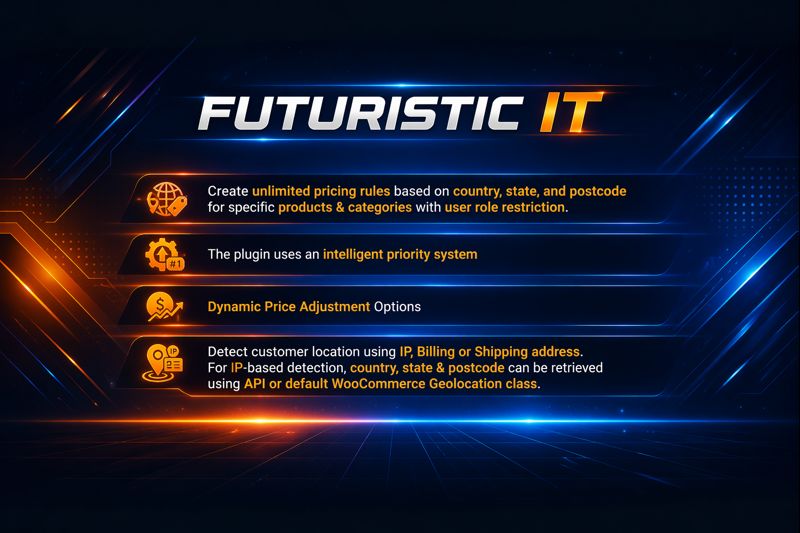
This product was built to solve the challenge of applying accurate and flexible pricing based on a customer’s geographic location in WooCommerce stores. Many store owners need the ability to charge different prices depending on country, state, or postcode due to taxes, shipping costs, market differences, or regional pricing strategies. The plugin addresses this gap by introducing a structured rule engine that allows merchants to define pricing conditions at multiple geographic levels and automatically apply.
How does your product compare to existing solutions?
Compared to similar WooCommerce geo-pricing solutions, most existing plugins only allow pricing adjustments based on country-level detection, which limits flexibility for stores that need more precise regional control. Our product goes further by enabling pricing rules not just by country, but also by state and postcode, allowing merchants to define highly granular and accurate pricing structures for different regions.
Installation
Upload the plugin files to the /wp-content/plugins/geo-based-pricing directory, or install the plugin through the WordPress plugin screen.
Activate the plugin through the ‘Plugins’ screen in WordPress.
Make sure WooCommerce is installed and activated.
Go to WooCommerce → Geo Based Pricing.
Create pricing rules based on country, state, or postcode.
Save the settings.
General Settings
Geolocation Method: Get the customer location automatically using IP address, shipping address, or billing address.
Logged in Users: Allow pricing only for logged in users.
API Settings
Geolocation Providers: Get API keys which ever you need to use for geolocation data. They will provide country code, state and zipcode.
Geolocation API Key: Add API key.
Rules
Choose Country and its states and zipcodes along with pricing type and pricing amount. So when specific country, state and zipcode match the products prices will be modified. If zipcode missing then it will match only country and state.
Products: Choose specific products for which you want to enable custom pricing modifications.
Categories: Choose specific categories for which you want to enable custom pricing modifications.
User Roles: Allow specific user roles to receive custom pricing. If no roles are selected, the rule will apply to all customers.
Priority: Its for rule priority. If you have same multiple rules, this field value will decide which ruleset should be used.
A Geo-Based Pricing plugin for WooCommerce enables you to set different product prices based on a customer’s location. It uses geolocation to detect where the customer is browsing from and automatically displays the corresponding price for each product.